By Ashley Mayo, PT, DPT, CPE
Injury Prevention Specialist, Fit For Work
As hybrid and remote work have become common, ensuring ergonomic health is more crucial than ever for a distributed workforce—whether employees are working in hybrid or fully remote roles. When working offsite, employees often lack the ergonomic awareness and training they receive onsite, leading to preventable injuries and cumulative musculoskeletal strain. Organizations can proactively protect their distributed teams by incorporating consistent ergonomic education, offering flexible workstation solutions, and providing access to professional consultations as part of their standard curriculum.
Maintaining a unified approach to ergonomics across environments, whether at home or onsite, is essential.
The Distributed Workforce Shift: Adapting to New Work Environments
Many companies now support some form of hybrid or remote work, particularly for office employees. That shift means ergonomic risks are no longer limited to industrial or office settings, and employees are requesting assistance evaluating the ergonomics of their home setup. Providing this assistance and ergonomic support to all employees, whether they’re onsite, hybrid, or fully remote, supports both employee and organizational well-being.
Common Ergonomic Risks for Hybrid and Remote Workers
Hybrid and remote employees face common challenges such as:
- Prolonged sitting: Long periods of sitting can increase discomfort and reduce circulation. Taking regular breaks to stand, stretch, and move helps counteract this.
- Awkward postures: Subtle setup issues can go unnoticed. For example, neck or shoulder discomfort can be caused by a mouse positioned too far away. Even slight outward reaching of the shoulder can create strain that leads to pain over time.
- Repetitive movements: Typing and mouse clicking can cause issues in the wrists, particularly when compounded by awkward positioning in the arms and shoulders.
- Lack of adjustability: One-size-fits-all workstations are a significant risk factor. Accommodating individual body types and needs through inclusive design is key.
- Contact stress: Resting forearms on hard or sharp desk edges can compress soft tissues and nerves, potentially leading to discomfort, numbness, or tingling. Proper desk padding or armrests can help mitigate this risk.
While offsite work offers many advantages, makeshift setups with limited adjustability may not be the best fit for each employee’s specific needs. Lack of in-person oversight can contribute to difficulty identifying these risks.
Ensuring Ergonomic Awareness for Every Worker
Employees in physically demanding roles often receive rigorous training on ergonomic risks, while hybrid and remote roles are sometimes perceived as low risk and therefore receive minimal to no training. However, it’s important to realize that prolonged sitting places more stress on the back than standing due to the continuous compression of vertebrae and discs. And with extended inactivity, the body does not receive the physical conditioning it would otherwise get through movement.
Distributed workers need a similarly structured onboarding and ergonomics training process as onsite workers receive. According to a 2020 study by the University of Cincinnati, 52% of hybrid workers who used an external monitor had it positioned too low. Another common issue was that the primary monitor was not centered in front of the worker. This occurred in 31% of assessments and caused workers to twist their neck or back to view the screen.
To navigate these challenges, a consultation is advised—either remote or in-person—to assess the workstation, identify any pain points, and provide education on microbreaks and posture self-check routines. Comfort is everything, and it’s important for employees to note any pain they experience while working. Is their workstation exacerbating existing back pain? Perhaps they experience wrist strain while typing, or neck and shoulder discomfort when using the computer mouse. Knowing this information allows for the development of effective solutions.
Below are a few guidelines to improve the ergonomics of a workstation:
- Equipment should be adjustable: Chairs should allow employees to sit comfortably with feet flat on the floor and knees at a 90-degree angle. The desk height can then be adjusted to match the ideal seated posture. Tip: Opt for an ergonomic task chair rather than an executive chair, which often offers fewer adjustability options.
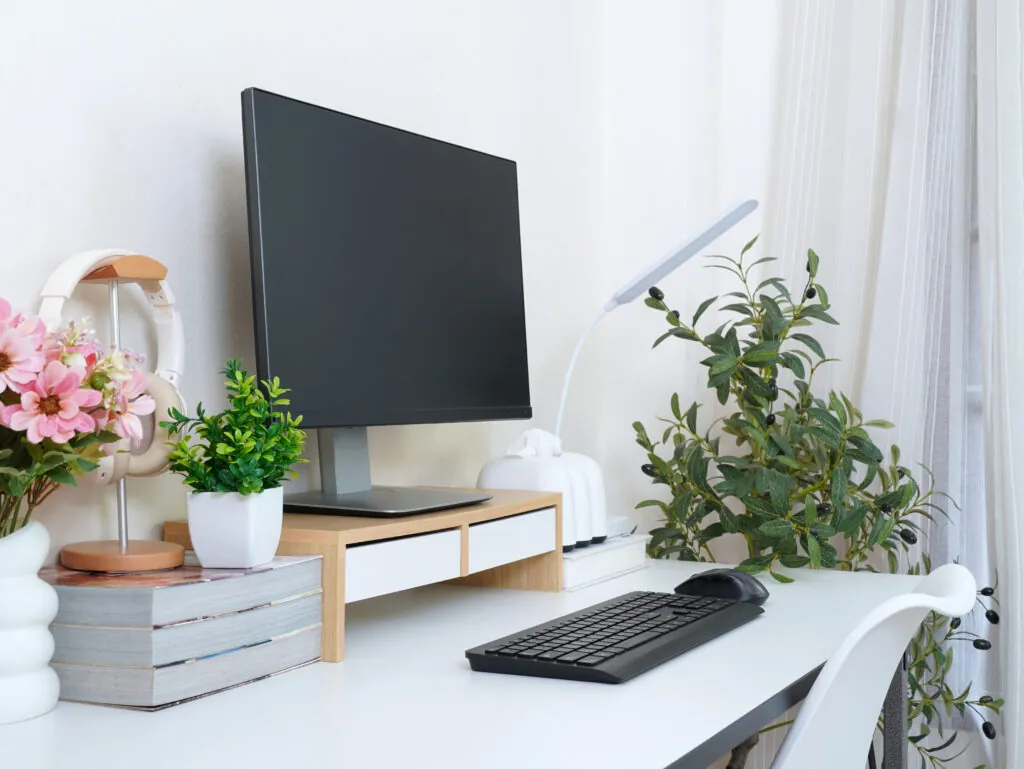
- Monitor height and configuration: The correct height should put the top third of the screen at eye level. If using multiple monitors, position the primary monitor in front of the employee, or align the monitors’ junction with the body’s midline.
- Accessories should allow the arms, wrists, and hands to remain in neutral positions: Keyboards should be kept flat, and use a wrist rest if needed to reduce contact stress from the desk edge. Mice should be positioned to allow the shoulder and arm to remain close to the body with the elbow bent at 90 degrees.
Sharing these tips and reminders via emails, educational conversations, intranet communications, and QR codes proves highly effective for keeping ergonomics top of mind.
Ergonomics training builds awareness and empowers self-correction, which is key for long-term injury prevention.
Designing Flexible Workstations
Employee comfort, longevity, and overall satisfaction make the provision of flexible workstations worthwhile. Each employee’s body dimensions, work style, and office tools differ, so avoid one-size-fits-all setups. Instead, encourage personalization of workstation elements.
Tall or petite employees need very different chair and desk heights, so select models with a wide range of adjustability. Have you ever considered the width of your chair? Adjustable armrests play an important role in maintaining a neutral shoulder position—relaxed and positioned down from the ears with arms close to the body. A standard computer mouse is suitable for most applications, but for some employees, a vertical configuration mouse can alleviate stress on the wrist.
Flexible design supports autonomy, comfort, and inclusion. These factors increase productivity and job satisfaction.
Providing Ergonomic Solutions and Support
Offering solutions and support begins with a culture of inclusion and ergonomic health. Both hybrid and remote employees benefit from a range of resources—such as company stipends, recommended product lists, and educational materials—that help them build proper setups at home. Many organizations also offer personalized virtual ergonomic consultations, where trained specialists assess an employee’s home workspace in real time. These sessions typically include a holistic review of workstation layout, work habits, environmental factors, and equipment needs, followed by tailored recommendations to improve comfort, safety, and efficiency.
Such virtual ergonomic support is highly scalable, making it a practical way to help large numbers of hybrid and remote employees create healthier workspaces—especially as flexibility in work locations becomes the norm and new ergonomic challenges continue to emerge.

Case Study: Addressing Back Pain in a Remote Workstation
A remote employee reported significant back pain and participated in a virtual ergonomic assessment to identify potential causes. During the review, it became clear that her L-shaped desk was uneven, and she experienced increased discomfort from frequent twisting while performing normal work tasks. Validating her discomfort was important since it’s often difficult to prove that this type of pain is work-related.
The assessment identified the root cause, adjustments were made to her existing setup, and a recommendation for a more appropriate desk was provided. The primary recommendation was a sit-stand desk to replace the L-shaped desk, allowing her to alternate between sitting and standing throughout the day, thus helping to reduce awkward static postures. Additionally, her monitor was raised to eye level, her keyboard and mouse were repositioned to allow for neutral wrist postures, and her chair height was adjusted to ensure feet were flat on the floor with thighs parallel to the ground. After implementing these changes and transitioning to a more suitable desk, the employee’s discomfort was alleviated.
Conclusion
For today’s distributed workforce, ergonomics isn’t optional; it’s foundational to employee health and performance. By providing training, flexible setup options, and professional support, companies can reduce injury risk, boost employee comfort, and create a truly sustainable hybrid/remote model.
See how our ergonomic solutions, including ErgoHome™ virtual consultations, can boost productivity, reduce injuries, and support long-term success across hybrid and remote teams. Contact us today to learn more.

Ashley Mayo is an Injury Prevention Specialist at Fit For Work, supporting clients across a variety of industries. She holds a doctorate in physical therapy from Utica University and is a Certified Professional Ergonomist (CPE). Since joining Fit For Work in 2022, Ashley has completed over 100 ergonomic assessments and developed tailored solutions for manufacturing, food distribution, and construction sectors. Passionate about understanding how the human body interacts with its environment, Ashley is dedicated to creating safer, more efficient workspaces through inclusive design and data-driven solutions.